
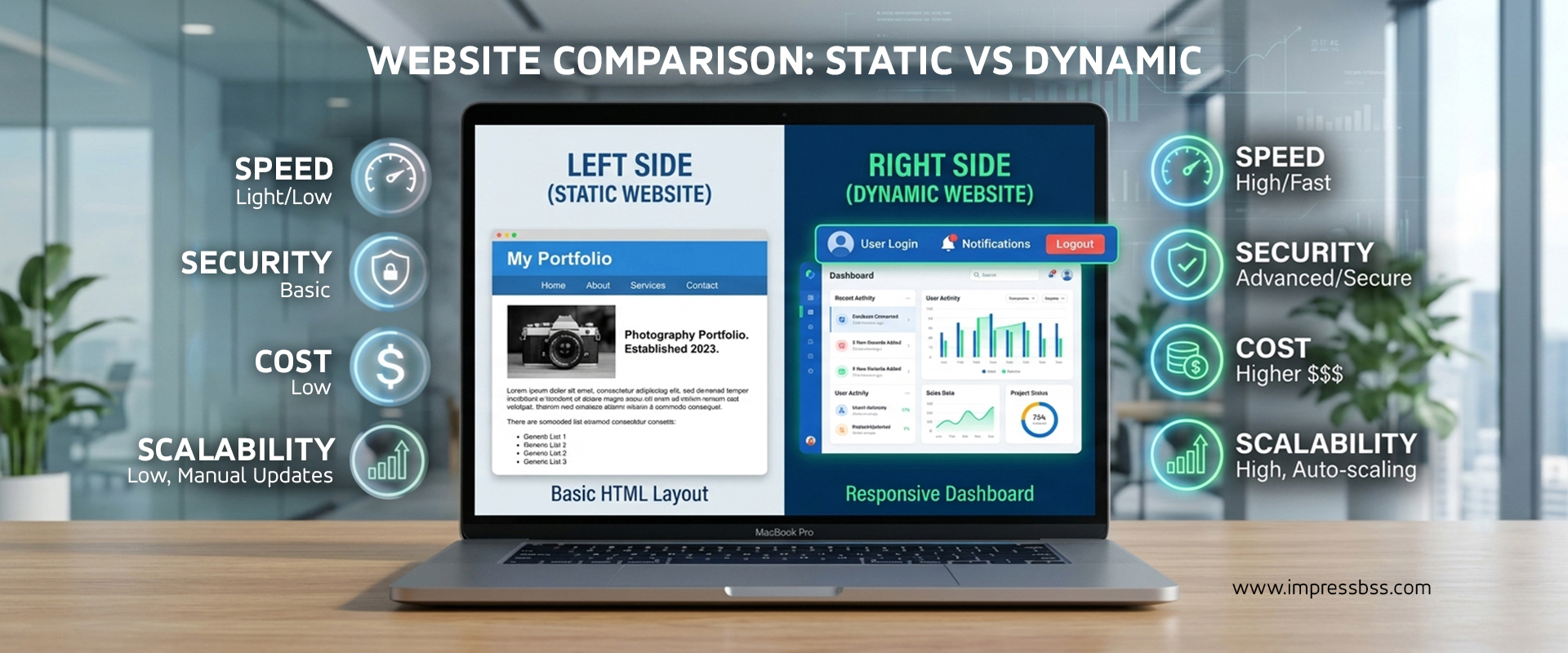
Static Vs Dynamic Website Which One Is Best For Your Business
So you're building a website and someone's asked you: "Do you want it static or dynamic?" If you paused for a second, you're not alone. This is one of the most common — and most important — questions a business owner faces before a single line of code gets written.
Get it right, and you save money, launch faster, and end up with a site that actually fits how your business operates. Get it wrong, and you either overpay for features you'll never use, or you're stuck with a rigid site that can't grow with you.
In this guide, we'll break down exactly what static and dynamic websites are, compare them across cost, SEO, performance, and security, and help you figure out — based on real business scenarios — which one makes sense for you.
What is a Static Website?
A static website is built with fixed content that doesn't change unless a developer manually edits the code. Every visitor sees the exact same page, delivered exactly as it was coded — no database, no server-side processing, just clean HTML, CSS, and a bit of JavaScript for interactivity.
Think of it like a printed brochure. It looks great, it's informative, but updating it means reprinting the whole thing.
Common examples of static websites:
- A small business "brochure" site with an About, Services, and Contact page
- A portfolio site for a freelancer or consultant
- A landing page for a single product or campaign
- A simple informational site for a local shop or professional service
Key characteristics:
- Pages are pre-built and served exactly as-is
- No database connection required
- Content changes require manual code edits (or a developer)
- Typically faster to load since there's no server-side processing
- Lower hosting requirements and cost
What is a Dynamic Website?
A dynamic website pulls content from a database and generates pages on the fly, often customizing what each visitor sees. Think of platforms like WordPress, custom web applications, or e-commerce stores — the content can be updated through an admin panel without ever touching code.
Think of it like a living, breathing storefront that rearranges itself based on who walks in, what they're looking for, and what's currently in stock.
Common examples of dynamic websites:
- E-commerce stores with changing inventory and pricing
- News or blog-heavy websites publishing content regularly
- Membership portals, patient portals, or student dashboards
- Websites with user accounts, logins, or personalized dashboards
- Business sites that need frequent updates from non-technical staff
Key characteristics:
- Content is stored in and pulled from a database
- Can be updated easily through a content management system (CMS)
- Supports personalization, user accounts, and interactive features
- Requires server-side processing for each page load
- More flexible but generally more resource-intensive
Features Comparison
| Feature | Static Website | Dynamic Website |
|---|---|---|
| Content updates | Requires developer/code edit | Update anytime via CMS/admin panel |
| Personalization | Not possible | Fully supported |
| User accounts/logins | Not supported | Supported |
| E-commerce functionality | Very limited | Fully supported |
| Interactivity | Basic (forms, animations) | Advanced (dashboards, filters, search) |
| Scalability | Limited without redevelopment | Scales easily with business growth |
| Setup complexity | Simple, quick to build | More complex, longer development time |
The short version: static sites are simple and fixed, dynamic sites are flexible and evolving. Neither is "better" in absolute terms — it depends entirely on what your business actually needs to do online.
Cost Comparison
Cost is usually the first question business owners ask, so let's be direct about it.
Static websites are generally cheaper to build and maintain because:
- Development is simpler and faster
- Hosting requirements are minimal (no database server needed)
- There's less ongoing maintenance since there's no CMS, plugins, or database to secure and update
Dynamic websites typically cost more because:
- Development involves database design, CMS setup, and often custom functionality
- Hosting needs are higher, especially for e-commerce or high-traffic sites
- Ongoing maintenance is required — CMS updates, plugin management, security patches, and occasional developer support
That said, dynamic doesn't have to mean expensive. Platforms like WordPress have made dynamic websites far more affordable and accessible than they were a decade ago. The real cost driver isn't "static vs dynamic" as a label — it's how much functionality and customization you actually need. For a detailed breakdown of what different types of websites typically cost, check out our Website Cost Guide.
SEO Comparison
Here's some good news: both static and dynamic websites can rank well on Google. SEO success depends far more on content quality, site speed, and technical setup than on which architecture you choose. That said, there are some meaningful differences.
Static websites tend to have an edge in:
- Raw page speed, since there's no database query slowing things down
- Simplicity — fewer moving parts means fewer technical SEO issues
- Security-related ranking signals, since there's a smaller attack surface
Dynamic websites tend to have an edge in:
- Publishing fresh content regularly (blogs, news, updates), which search engines reward
- Structured, scalable SEO — easier to manage meta tags, schema markup, and internal linking at scale through a CMS
- Supporting large product catalogs with individual optimized pages, which matters hugely for e-commerce SEO
If your business relies on regularly publishing content, running a blog, or managing many product pages, a dynamic website generally makes SEO management easier long-term. If your site is small and rarely changes, a well-built static site can absolutely hold its own.
Performance Comparison
Speed matters — for user experience, conversions, and Google rankings alike (Core Web Vitals, anyone?).
Static websites are generally faster because pages are pre-built and served directly, with no database queries or server-side processing needed. This makes them ideal for simple sites where speed is a top priority.
Dynamic websites can be just as fast when properly optimized — through caching, a good hosting environment, content delivery networks (CDNs), and clean code — but they have more potential bottlenecks. A poorly optimized dynamic site (bloated plugins, unoptimized database queries, cheap hosting) can slow down significantly, especially under heavy traffic.
The takeaway: static wins on raw simplicity, but a well-built and well-hosted dynamic site can perform just as well while offering far more functionality.
Security Comparison
Static websites are inherently more secure because there's no database to hack, no CMS login to brute-force, and no plugins with potential vulnerabilities. Fewer moving parts mean a smaller attack surface.
Dynamic websites carry more security responsibility because they involve:
- A database that stores content (and sometimes user data) that needs protecting
- A CMS and plugins/themes that require regular updates to patch vulnerabilities
- Admin login areas that need strong authentication practices
- User data (accounts, forms, payment info) that must be handled securely, especially for e-commerce and healthcare-related sites
This doesn't mean dynamic websites are unsafe — millions of secure businesses run on dynamic platforms every day. It just means security needs to be actively managed through regular updates, backups, and monitoring, rather than being a "set it and forget it" situation. This is exactly where ongoing website maintenance services become essential — keeping your CMS, plugins, and security patches current so small vulnerabilities never turn into big problems.
Which Businesses Need Static Websites?
A static website is a great fit if:
- You're a small business, freelancer, or consultant who just needs an online presence with basic information
- You run a local service business (electrician, salon, boutique clinic) where content rarely changes
- You need a landing page for a specific campaign, event, or product launch
- You want fast, low-cost, low-maintenance hosting without ongoing technical overhead
- Your content — services, pricing, contact details — doesn't change often
- You're a startup validating an idea and need a simple site up quickly without a big budget
If this sounds like you, a static website design gives you a fast, affordable, professional online presence without unnecessary complexity.
Which Businesses Need Dynamic Websites?
A dynamic website is the better choice if:
- You run an e-commerce store with changing products, pricing, and inventory
- You're a hospital, clinic, or educational institution managing patient portals, appointment booking, or student dashboards
- You publish content regularly — blogs, news updates, case studies — and want an easy way to manage it
- You need user accounts, logins, or personalized experiences for different visitor types
- You're a manufacturer or B2B company with a large product/service catalog that needs individual, searchable pages
- Your business is growing and you anticipate needing new features, integrations, or functionality over time
If your business fits any of these, dynamic website development gives you the flexibility to manage content independently and scale as your needs evolve.
Still unsure which direction fits your specific situation? That's a conversation worth having with a team that's built both — a good web design company in Chennai can assess your business goals, budget, and growth plans and recommend the right architecture rather than pushing a one-size-fits-all solution.
FAQs
1. Can a static website be converted into a dynamic one later? Yes, but it usually means rebuilding significant parts of the site rather than simply "upgrading" it. If you expect to need dynamic features down the line — even if not immediately — it's often smarter to start with a lightweight dynamic setup like WordPress from the beginning.
2. Is WordPress a static or dynamic website? WordPress is a dynamic website platform. It uses a database to store and manage content, which you can update through an admin dashboard without touching code.
3. Which is better for SEO — static or dynamic? Both can rank well. Static sites benefit from raw speed and simplicity, while dynamic sites make it easier to manage SEO at scale, publish fresh content, and optimize large numbers of pages. The better choice depends on your content strategy.
4. Are static websites cheaper to maintain long-term? Generally, yes. Since there's no CMS, plugins, or database to update and secure, static websites usually have lower ongoing maintenance costs compared to dynamic sites.
5. Do dynamic websites always cost more than static websites? Not always, but they typically do — mainly due to development complexity and hosting requirements. However, the cost gap has narrowed significantly with modern CMS platforms making dynamic sites more accessible.
6. Can a small business benefit from a dynamic website? Yes, especially if the business plans to blog regularly, sell products online, or expects to grow and add features over time. It's about future needs, not just current business size.
7. Which type of website is more secure? Static websites have a smaller attack surface and are generally more secure by default. Dynamic websites can be equally secure but require ongoing maintenance, updates, and monitoring to stay that way.
Conclusion
There's no universal "best" choice between static and dynamic websites — only the choice that's best for your specific business, budget, and growth plans. If you need a simple, fast, low-maintenance online presence, a static website is hard to beat. If your business needs regular content updates, e-commerce functionality, user accounts, or room to scale, a dynamic website is the smarter long-term investment.
The good news is you don't have to figure this out alone. Talk to a team that can look at your goals honestly and recommend the right fit — not just the option that's easiest to sell. And whichever path you choose, remember that launching the site is just the beginning; ongoing care through proper website maintenance services is what keeps it fast, secure, and effective for years to come.
For more on planning your website investment, check out our Website Cost Guide and see how these choices tie into the broader picture in our Website Design Trends 2026 guide.